Browser extension · DLP

The policy acts before the data leaves.

The browser is where people choose, copy and send. Sorvek applies the response your team defined, at the moment it matters.

01 · Connect

Protection starts with a clear status.

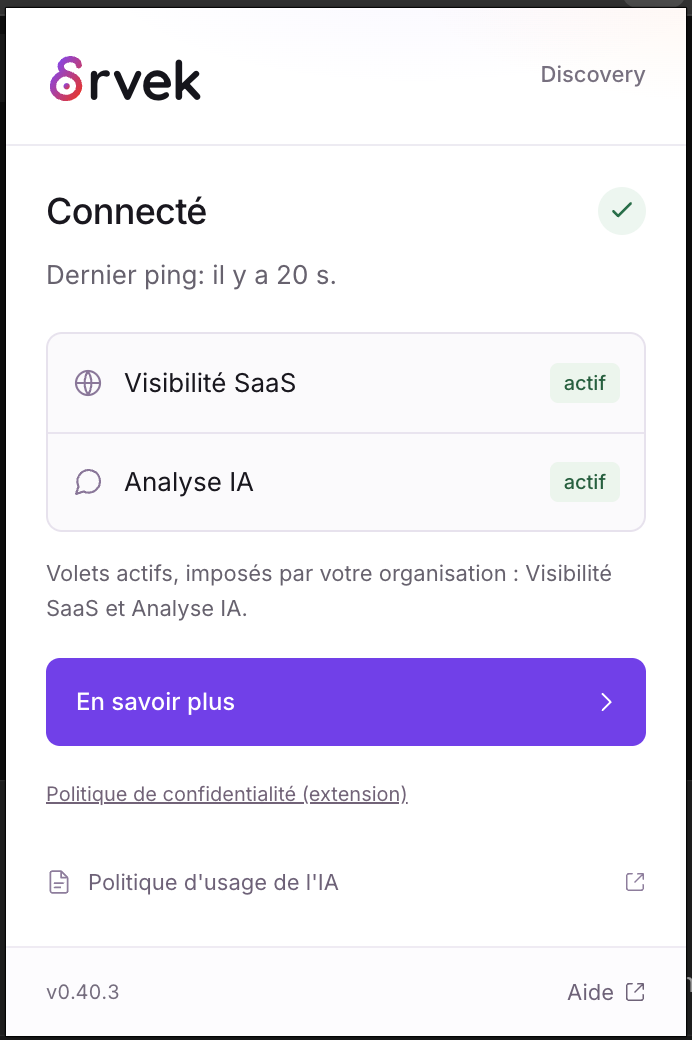
When a connection is required, Sorvek explains what to do. Once connected, the extension shows the active capabilities defined by your organization.
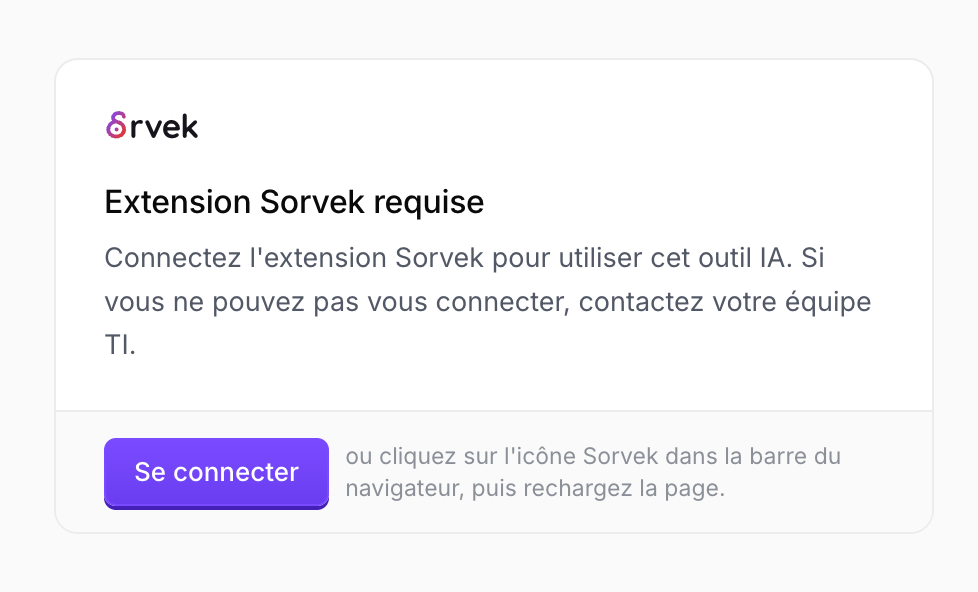
Sorvek asks the user to connect the extension before using an AI tool.
Clear guidance before accessing the AI tool.
The Sorvek extension is connected, with SaaS visibility and AI analysis enabled.
The extension’s status at a glance.

02 · Apply the rule

A clear response at the moment of sending.

Block a submission or require a justification: the response follows your policy. The person sees the detected categories and the options available to them.
01

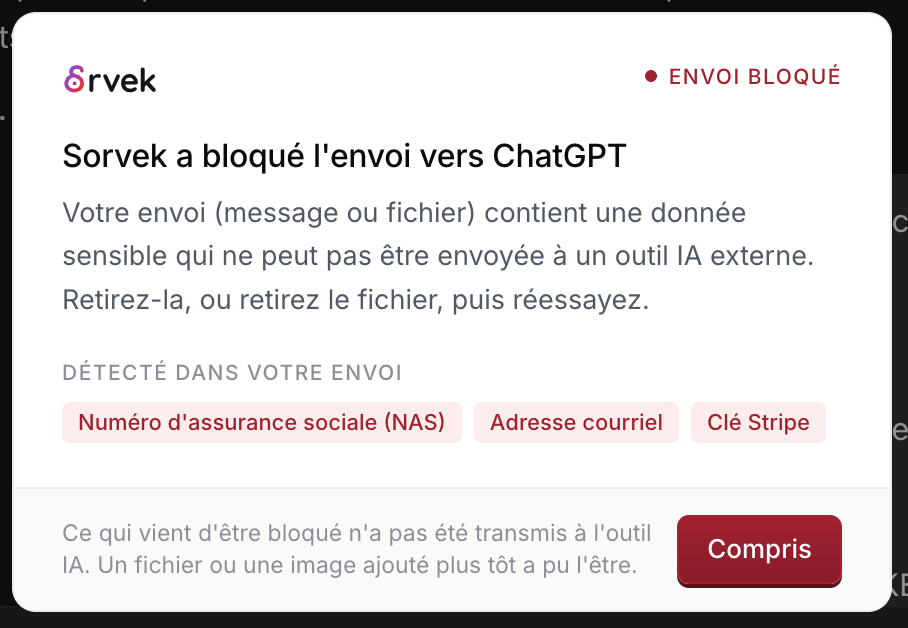
Stop a sensitive submission

A submission to ChatGPT is blocked: SIN, email address and Stripe key categories are detected, without displaying their values.
An explained block, without displaying sensitive values.
02

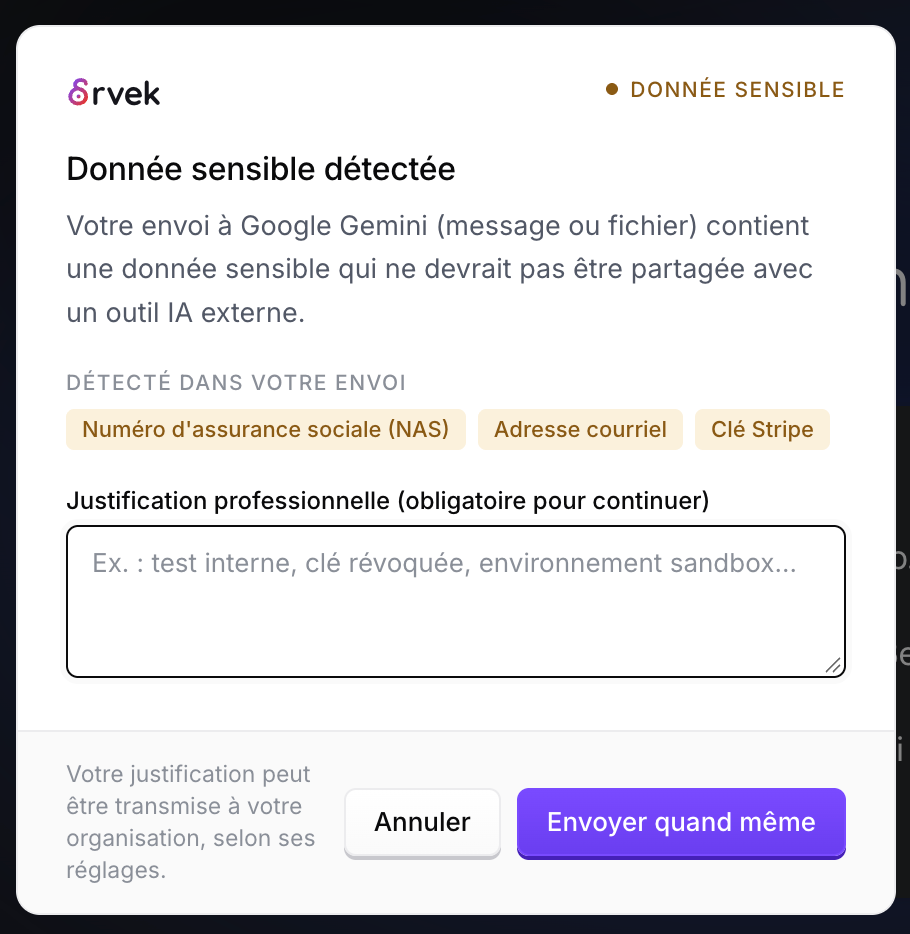
Require a justification

A warning before submitting to Google Gemini requires a business justification to continue.
Cancel or justify proceeding, according to the configured rule.

03 · Guide

A boundary with a way forward.

Your organization may prohibit a tool. The message makes the rule visible and can suggest approved alternatives to keep working.
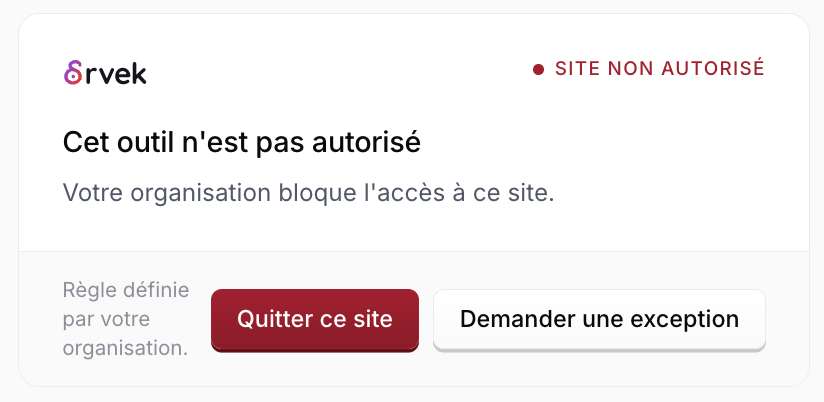
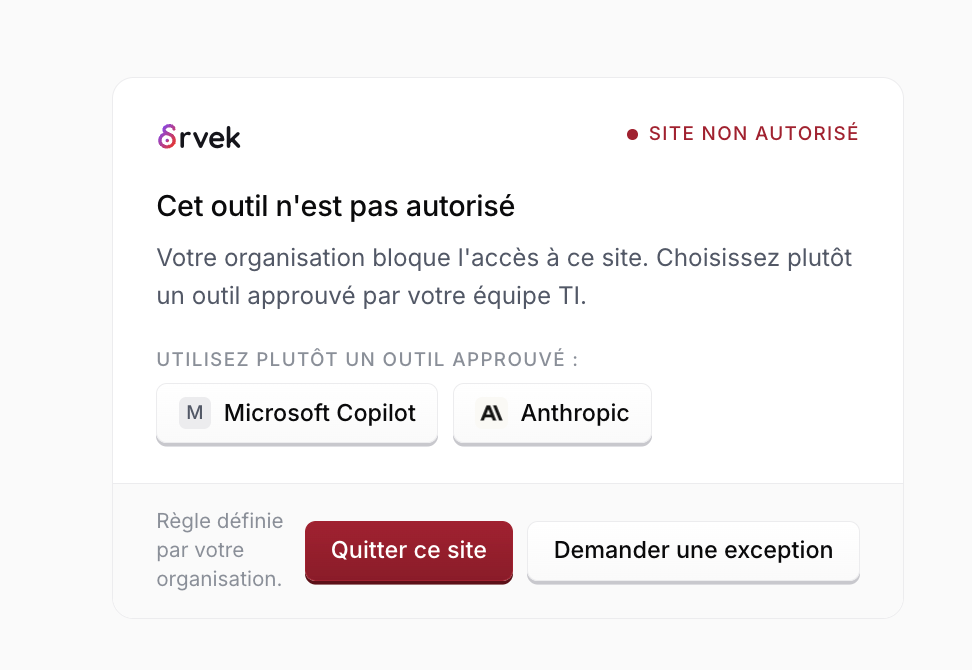
Access to an unauthorized tool: leave the site or request an exception.
Leave the tool or request an exception.
Sorvek suggests Microsoft Copilot and Claude as alternatives approved by the IT team.
Find tools approved by your IT team.

04 · Explain the need

An exception request comes with context.

The person can explain their business need directly from the block message. The justification accompanies their request to the IT team.

Approved alternatives remain visible while making the request.
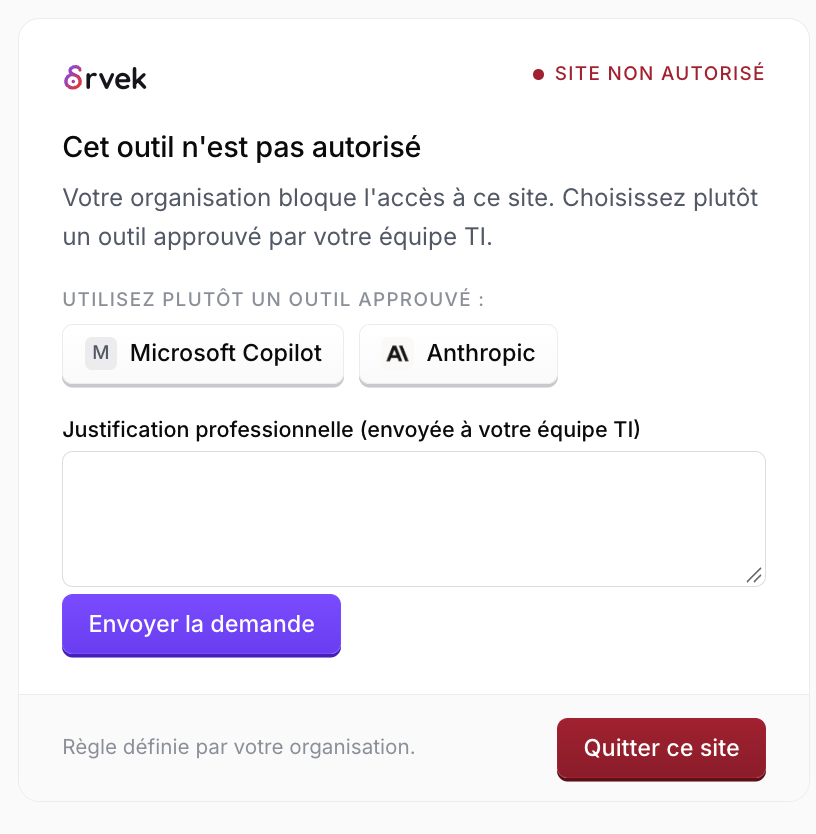
An exception request with a business justification to send to the IT team. Microsoft Copilot and Claude remain available as alternatives.
The need is explained when the rule applies.

05 · Review the context

Your team can see what happened next.

These notifications distinguish a blocked submission from one cancelled after a warning. The team can see the tool involved and the observed outcome.
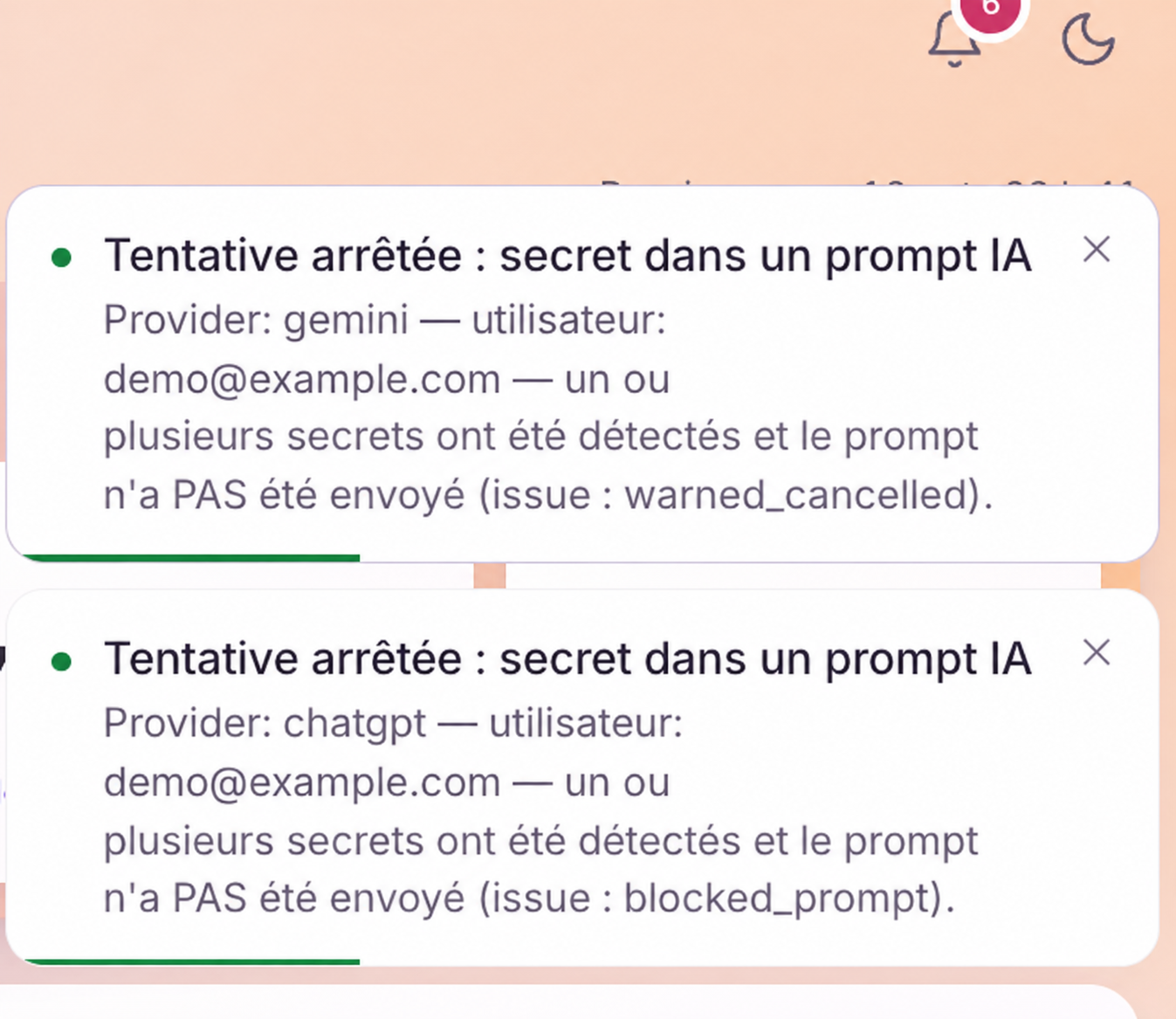
Two Sorvek notifications distinguish a blocked submission from one cancelled after a warning.
Two events with distinct outcomes in Sorvek.

Six situations. Six visible responses.

Silent recordings of the real product. Each demo pauses at the key moments to explain what is happening, and you move on at your own pace.

Protection before sign-in

AI tools remain protected before the session is established.

Open the video file

Block

An AWS key pasted into ChatGPT is stopped before sending.

Open the video file

Warn and justify

A SIN and a card trigger a warning with a justification step.

Open the video file

Redact

The sensitive value is replaced before the rest of the text is sent.

Open the video file

Redirect

An unapproved tool can be replaced with an approved option.

Open the video file

Admin console

Rules, custom patterns and exceptions stay visible to your team.

Open the video file

A clear rule. A response that is proportionate.

Blocking is not the only option. Responses can support work while enforcing your organization’s policy.

Observe

Log the context

Keep the event your team needs without interrupting the person’s action.

Assist

Warn and request a justification

Show the rule at the moment of action and keep a record of the decision.

Protect

Block or redact

Stop a submission or remove only the sensitive value, according to the applied rule.

Redirect

Suggest the approved tool

When it fits your policy, offer a way to continue working rather than a dead end.

See AI usage and capture coverage

AI usage provides context. Capture states distinguish a tool visit, an observed interaction and unsupported capture.

Active AI tool usage and capture visibility: degraded capture, visits without interaction and unsupported capture.
Extracts from the AI Usage console. The actual coverage limits remain visible. This is not a screenshot of the extension window itself.

Review an AI exchange

Review an exchange’s status and the detected categories without exposing sensitive values. Here, the Blocked status applies to the displayed exchange; coverage depends on the tool and deployment.

A ChatGPT exchange marked Blocked with a high DLP risk, alongside the detected categories.
Two extracts of the same anonymized exchange. The Blocked status applies to this observed exchange only. Categories are shown without the sensitive values.
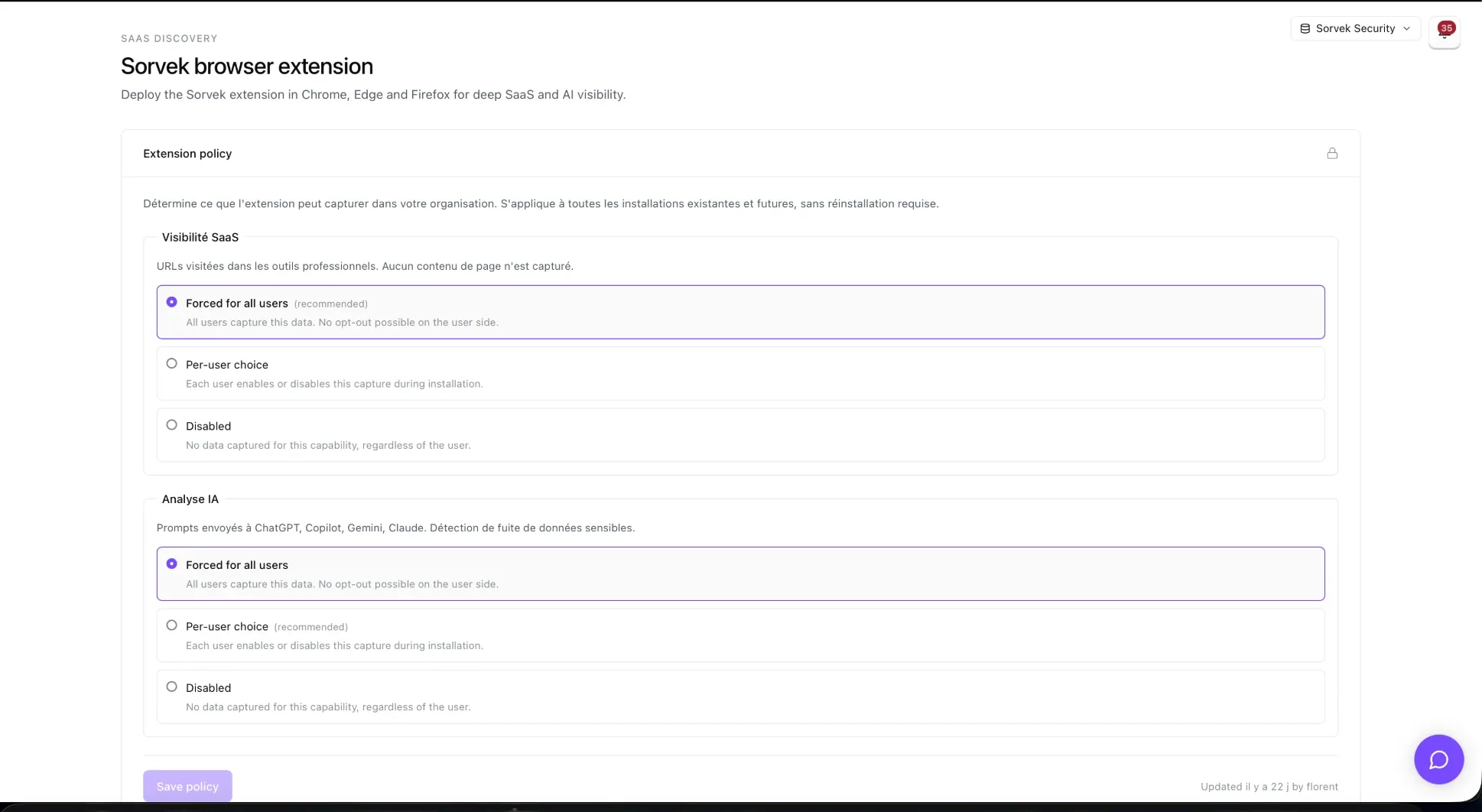
Sorvek extension policy screen.
Your team remains in charge of configuring the rules.
A dedicated browser layer

See usage and policy together.

The extension provides visibility into SaaS and AI usage in the browser, then applies the response configured for the tool involved.

Protection is applied in the browser. Review deployment scope and rules with your team before activation.

Prepare a policy review

Your data needs one last check.

Let’s look at the tools, usage and response level that fit your organization.