
Shadow IT & Shadow AI
Discover the SaaS and AI tools your teams use.
Bring together detected applications, associated accounts and observed permissions to prepare your review.
01 / Discovery
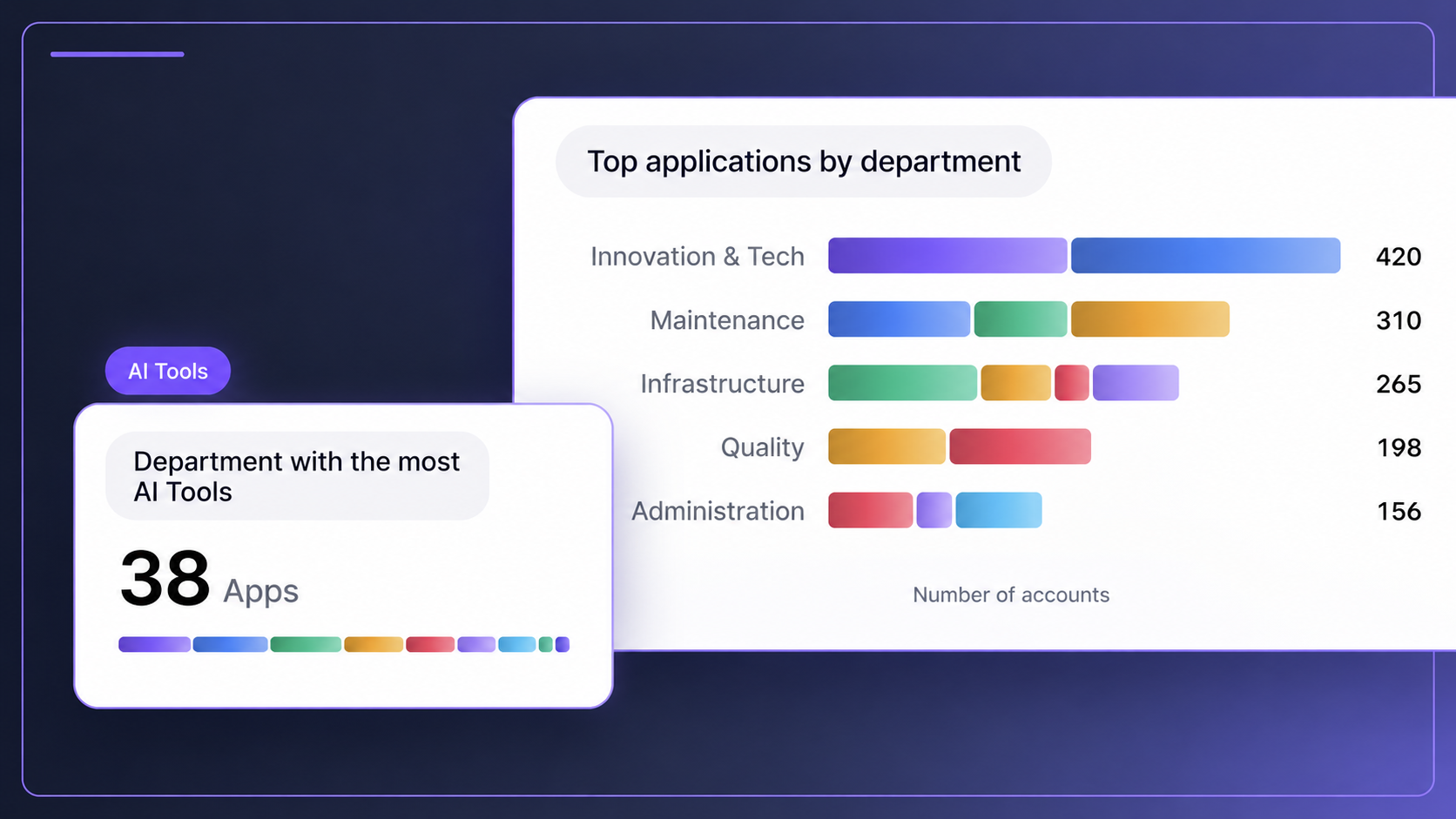
Find the tools across your teams.
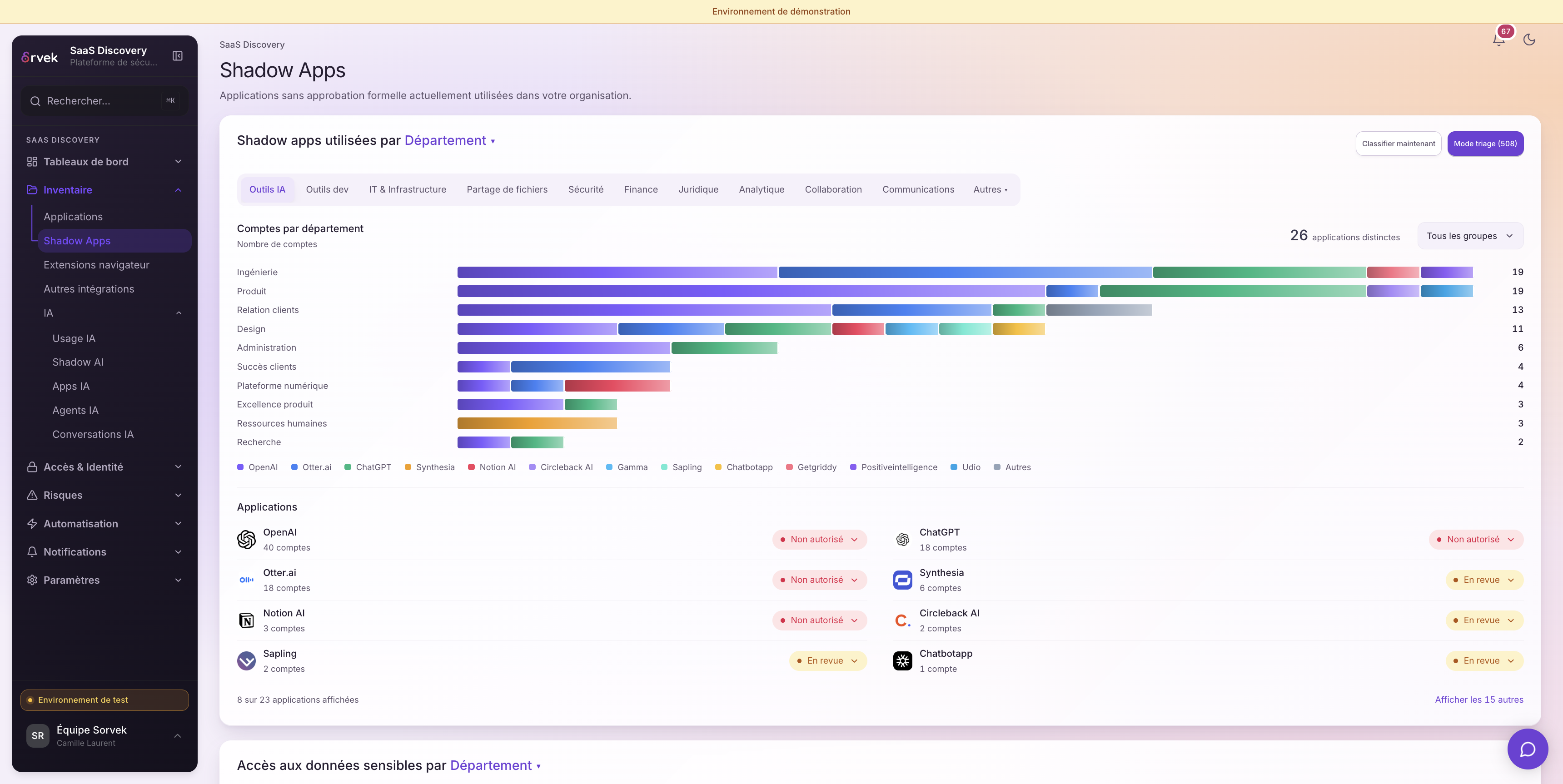
Browse applications by category or department, then review their approval status.
Applications and categories
Place a tool in your SaaS and AI inventory.
Teams involved
Find the departments associated with observed accounts.
Approval status
Distinguish approved tools from those still awaiting review.
An unapproved application is not necessarily blocked.
View applications by department
02 / Sources
Understand where each signal comes from.
Connected environments feed the inventory. The extension adds observations from browsers where it is deployed.
- 01
Connected environments and equipped browsers
Accounts, available signals and observations from browsers where the extension is deployed.
- 02
Applications, accounts and permissions
Shared context, including sources and their limits.
- 03
Review by your team
Clarify the need, review permissions and prepare the next step.
Available information depends on connected sources, granted permissions and capture coverage.
Understand the connections03 / Accounts and permissions
Review associated accounts and access.
Distinguish verified accounts, assigned rights and email signals. Then examine OAuth grants and their scope.
- Verified account
- Evidence of an account is available.
- Assigned right
- An assignment does not establish usage.
- Email signal
- A signal to review, without a confirmed account.


A displayed recommendation is not an executed revocation.
04 / Shadow AI
Put observed AI usage in context.
Review AI tools, usage trends and the teams involved. Capture statuses show what was observed and where coverage is limited.
A visited tool, an observed interaction and an unsupported capture are three different situations.
See DLP responses in the browser
Coverage depends on the tool and extension deployment.
05 / Next steps
Prepare the next action.
Clarify usage, review a permission or prepare an intervention with your team.
Prepare an intervention and review its scope.
Employee offboardingFind a person’s accounts and prepare their checklist.
Extension and DLPUnderstand the responses available in the browser.
See what Sorvek can make visible in your environment.
Book a demo