
60 calls per minute per key
Beyond this limit, the client receives an explicit message and can retry.
Documentation · Sorvek Bridge
Sorvek Bridge is the MCP (Model Context Protocol) server that lets a compatible client query your inventory, findings and posture without taking action or making changes.
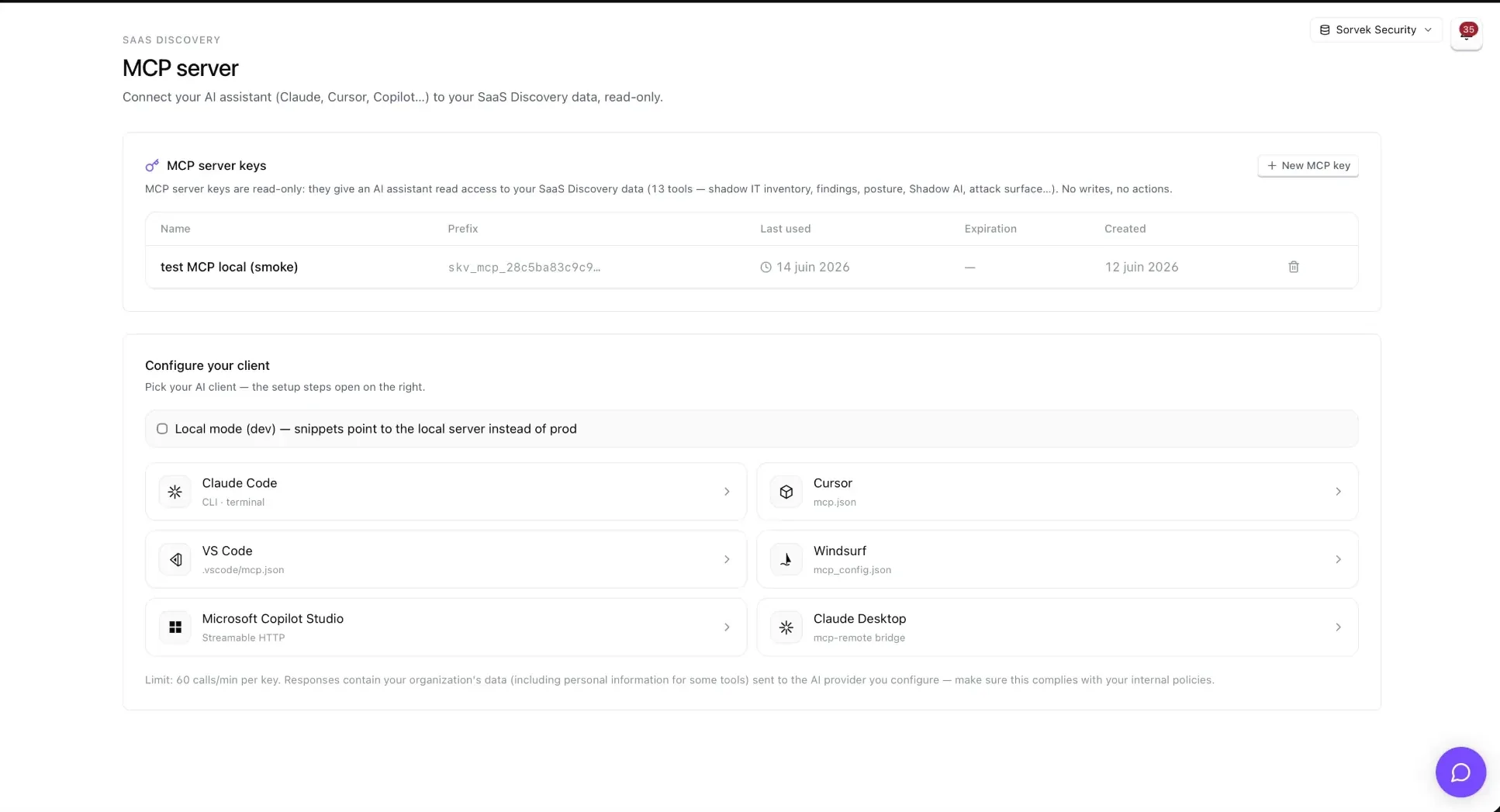
You need Sorvek SaaS Discovery active for your organization, then a Sorvek Bridge API key created by an administrator under Settings → API keys. MCP keys start with skv_mcp_… and are displayed only once.
https://app.sorvek.com/mcpKeep the key in a secrets manager. Do not put it in a committed file.
claude mcp add --transport http sorvek https://app.sorvek.com/mcp \
--header "Authorization: Bearer $SORVEK_MCP_KEY"{
"mcpServers": {
"sorvek": {
"url": "https://app.sorvek.com/mcp",
"headers": { "Authorization": "Bearer ${env:SORVEK_MCP_KEY}" }
}
}
}If interpolation ${env:…} fails in some versions of Cursor for remote servers, use a mcp.json local file that is not committed.
Add an existing MCP server using the Streamable HTTP, the URL above and an API key sent in the Authorization header with the value Bearer <your key>.
Claude Desktop remote connectors require OAuth (planned for Sorvek V2). In the meantime, use the bridge mcp-remote in Developer → Local MCP servers.
{
  "mcpServers": {
    "sorvek": {
      "command": "npx",
      "args": [
        "mcp-remote",
        "https://app.sorvek.com/mcp",
        "--header",
        "Authorization:${AUTH_HEADER}"
      ],
      "env": {
        "AUTH_HEADER": "Bearer skv_mcp_votre_cle"
      }
    }
  }
}
Do not add an entry url: in claude_desktop_config.json : Claude Desktop does not support this field. The form Authorization:${AUTH_HEADER} (with no spaces around :) works around a known issue in Claude Desktop for Windows and Cursor.
They query the tenant linked to your key. Access remains read-only.
get_overviewKPIs: total apps/accounts, new apps over 30 days, AI apps, top users, latest scan
list_shadow_appsPaginated shadow IT inventory (search, category, risk, approval, date)
get_appComplete app record: metadata, accounts and related findings
list_findingsSecurity findings from the latest scan (severity filter)
list_usersEmployees ranked by SaaS footprint (MFA, admin roles, risk)
get_user_footprintComplete SaaS footprint of an employee (by email)
list_oauth_integrationsOAuth integrations aggregated by app, risk score and scopes
get_shadow_ai_summaryScored Shadow AI summary (OAuth + browser extension, DLP leaks)
list_ai_agentsAI agent inventory (Copilot Studio + OAuth heuristic)
get_security_posturePosture rollup: SSO, MFA, Conditional Access, breaches, findings
list_external_assetsExternal surface: subdomains, takeover risk
list_recent_eventsActivity log: new apps, signups, scans
list_breach_alertsVendor breach alerts matched against your apps
Example questions: “Which unapproved AI apps appeared this month?” · “Which at-risk employees have sensitive OAuth grants?” · “Are any subdomains at risk of takeover?”
Connecting an AI provider remains your organization’s choice. Evaluate what data may reach that provider against your internal obligations.
Settings → API keys, the key is invalid on the next request. Each call is logged (tool, status, duration), and identifying parameters are redacted from the log.