
60 appels par minute et par clé
Au-delà, le client reçoit un message explicite et peut réessayer.
Documentation · Sorvek Bridge
Sorvek Bridge est le serveur MCP (Model Context Protocol) qui permet à un client compatible d’interroger votre inventaire, vos findings et votre posture sans effectuer d’action ni de modification.
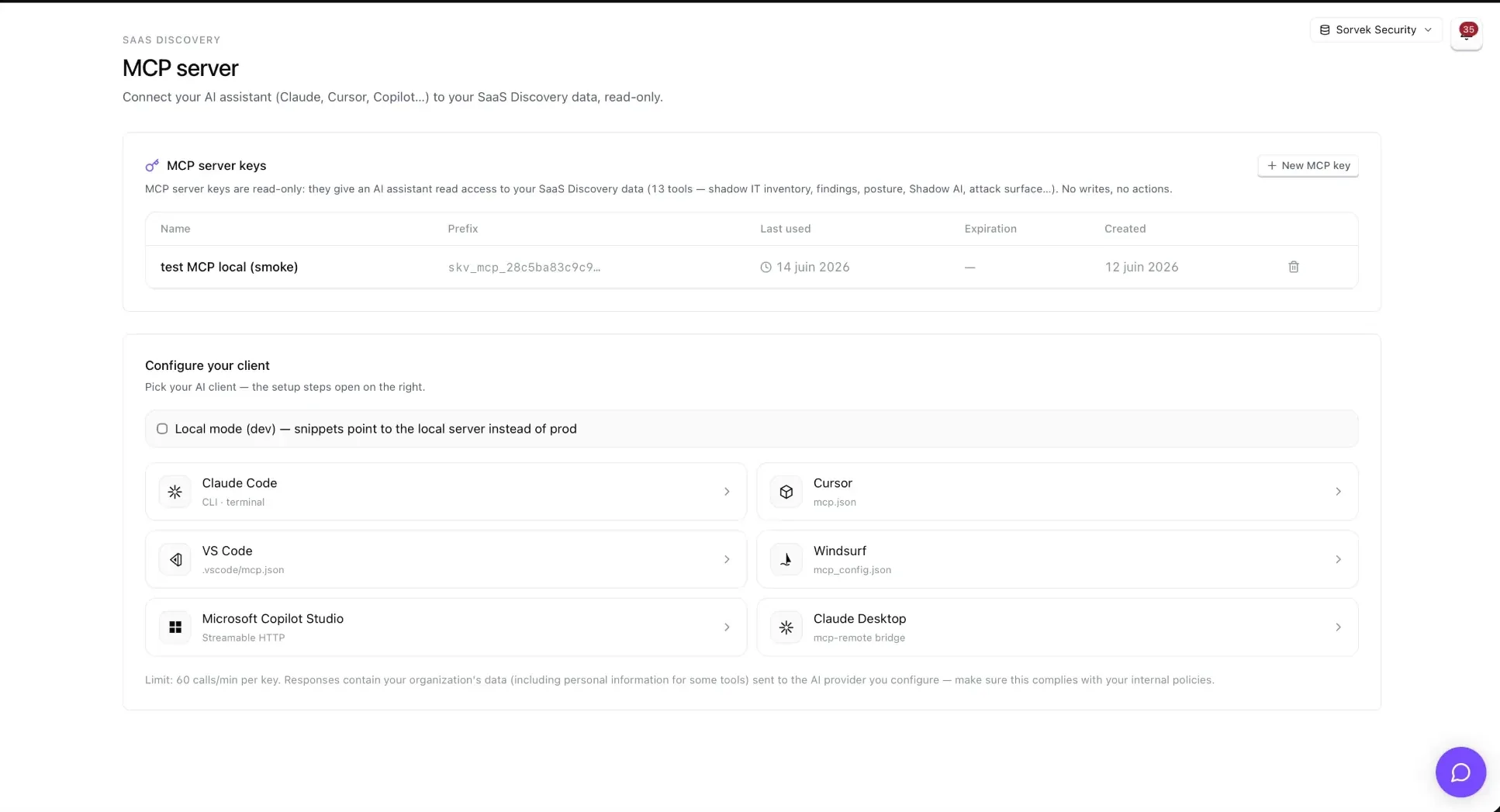
Vous avez besoin de Sorvek SaaS Discovery actif pour votre organisation, puis d’une clé API Sorvek Bridge créée par un administrateur dans Settings → Clés API. Les clés MCP commencent par skv_mcp_… et ne sont affichées qu’une seule fois.
https://app.sorvek.com/mcpConservez la clé dans un gestionnaire de secrets. Ne la placez pas dans un fichier commité.
claude mcp add --transport http sorvek https://app.sorvek.com/mcp \
--header "Authorization: Bearer $SORVEK_MCP_KEY"{
"mcpServers": {
"sorvek": {
"url": "https://app.sorvek.com/mcp",
"headers": { "Authorization": "Bearer ${env:SORVEK_MCP_KEY}" }
}
}
}Si l’interpolation ${env:…} échoue dans certaines versions de Cursor pour les serveurs remote, utilisez un mcp.json local non commité.
Ajoutez un serveur MCP existant avec le transport Streamable HTTP, l’URL ci-dessus et une API key envoyée dans l’en-tête Authorization avec la valeur Bearer <votre clé>.
Les connecteurs remote de Claude Desktop exigent OAuth (prévu en V2 chez Sorvek). En attendant, passez par le pont mcp-remote dans Développeur → Serveurs MCP locaux.
{
  "mcpServers": {
    "sorvek": {
      "command": "npx",
      "args": [
        "mcp-remote",
        "https://app.sorvek.com/mcp",
        "--header",
        "Authorization:${AUTH_HEADER}"
      ],
      "env": {
        "AUTH_HEADER": "Bearer skv_mcp_votre_cle"
      }
    }
  }
}
Ne mettez pas d’entrée url: dans claude_desktop_config.json : Claude Desktop ne supporte pas ce champ. La forme Authorization:${AUTH_HEADER} (sans espace autour de :) contourne un bug connu de Claude Desktop Windows et Cursor.
Ils interrogent le tenant lié à votre clé. L’accès reste en lecture seule.
get_overviewKPIs : total apps/comptes, nouvelles apps 30 j, apps IA, top utilisateurs, dernier scan
list_shadow_appsInventaire shadow IT paginé (recherche, catégorie, risque, approbation, date)
get_appFiche complète d’une app : métadonnées, comptes, findings liés
list_findingsFindings de sécurité du dernier scan (filtre sévérité)
list_usersEmployés classés par empreinte SaaS (MFA, rôles admin, risque)
get_user_footprintEmpreinte SaaS complète d’un employé (par email)
list_oauth_integrationsIntégrations OAuth agrégées par app, score de risque et scopes
get_shadow_ai_summaryRésumé Shadow AI scoré (OAuth + extension navigateur, fuites DLP)
list_ai_agentsInventaire des agents IA (Copilot Studio + heuristique OAuth)
get_security_postureRollup posture : SSO, MFA, Conditional Access, brèches, findings
list_external_assetsSurface externe : sous-domaines, risque de takeover
list_recent_eventsJournal d’activité : nouvelles apps, signups, scans
list_breach_alertsAlertes de brèches fournisseurs croisées avec vos apps
Exemples de questions : « Quelles apps IA non approuvées sont apparues ce mois-ci ? » · « Quels employés à risque ont des grants OAuth sensibles ? » · « Y a-t-il des sous-domaines à risque de takeover ? »
La connexion à un fournisseur d’IA reste un choix de votre organisation. Évaluez les données qui peuvent transiter vers ce fournisseur en fonction de vos obligations internes.
Settings → Clés API, la clé est invalide à la requête suivante. Chaque appel est journalisé (outil, statut, durée) et les paramètres nominatifs sont caviardés du journal.